// FEATURE
Customer database
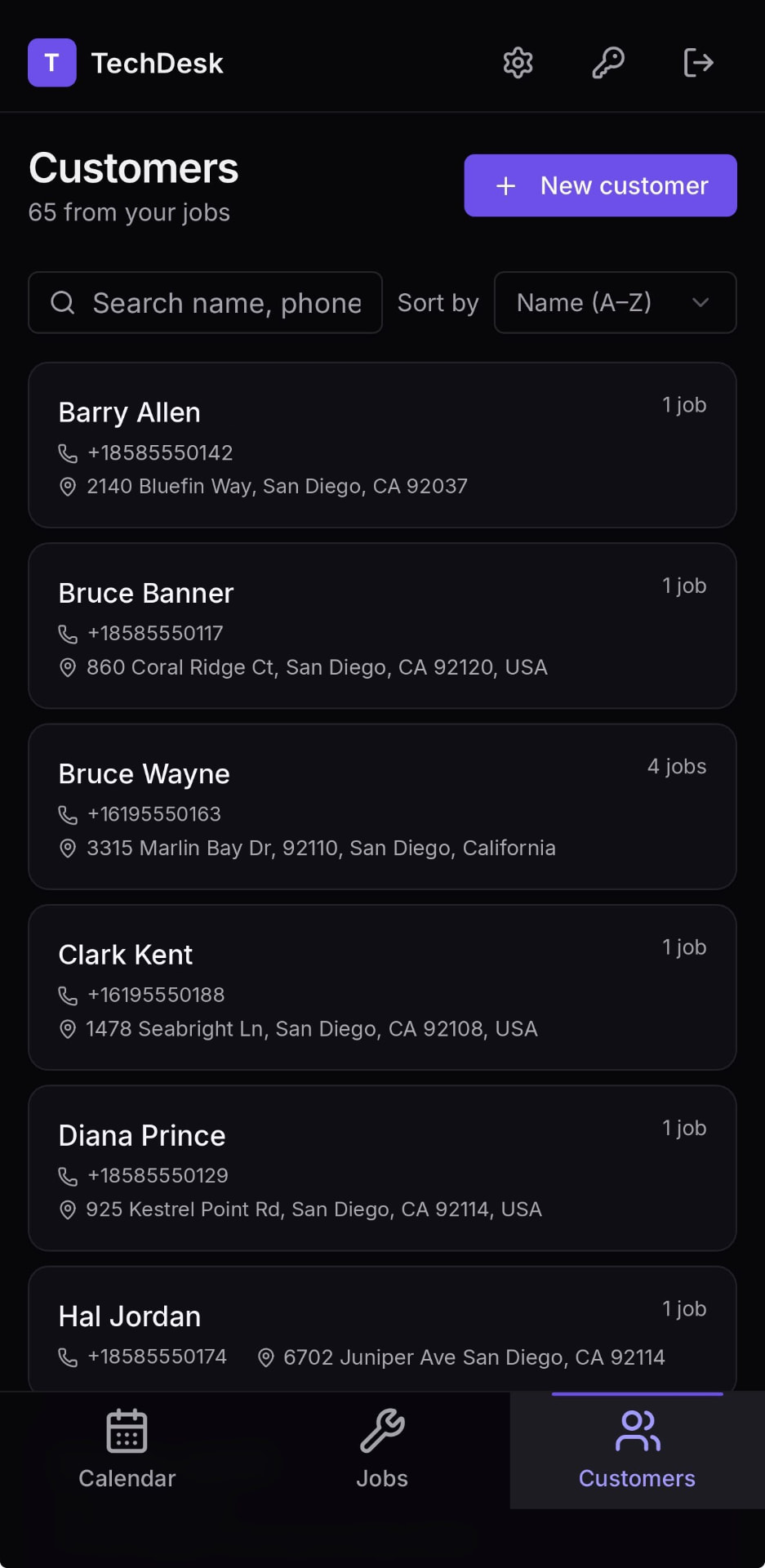
BuiltCRM's customer database supports search by name or phone and job history for each customer. You can import customers from CSV, with our help if the file needs adjusting; exports are for admins only.
Find a customer by name or phone
Customer search works by name or phone. These are the two search methods named in the approved feature list, so the page does not assume other search fields or claim that every piece of customer information is searchable.
A phone search gives the office another way to find the customer when the information at hand is a phone number rather than a name. The customer record remains the starting point for the job history associated with that person.
Job history per customer
Each customer has their own job history. This ties previous work to the customer instead of describing past jobs as a list with no customer connection. When looking up someone again, their history is part of what the customer database provides.
The history is a customer-level view, while the individual job has its own related details. Estimates and invoices use numbering tied to the job, and the job activity log records changes with who and when. Those features complement the history without turning it into an unlisted reporting tool.
CSV import and admin-only export
Customers can be imported from a CSV file. If the file needs adjusting, we help with that adjustment. This matters because a CSV export from another system may need preparation rather than being assumed to match the import exactly as it arrives.
Export is for admins only. The ability to search customers and see history does not imply that every role can export the database. BuiltCRM has admin, dispatcher and technician roles with access limits enforced at the database level; the export restriction should be understood alongside those roles.
Frequently asked questions
- How can I search for a customer?
- Search by name or phone. The customer database also provides job history per customer, so finding the customer connects you with their previous work.
- Can you help with a CSV import?
- Yes. Customers can be imported from CSV, and we help if the file needs adjusting. The approved facts do not promise that every source file works without preparation.
- Can every user export customers?
- No. Export is for admins only. Searching customer records does not give every user permission to export them.