// FEATURE
Sales tax
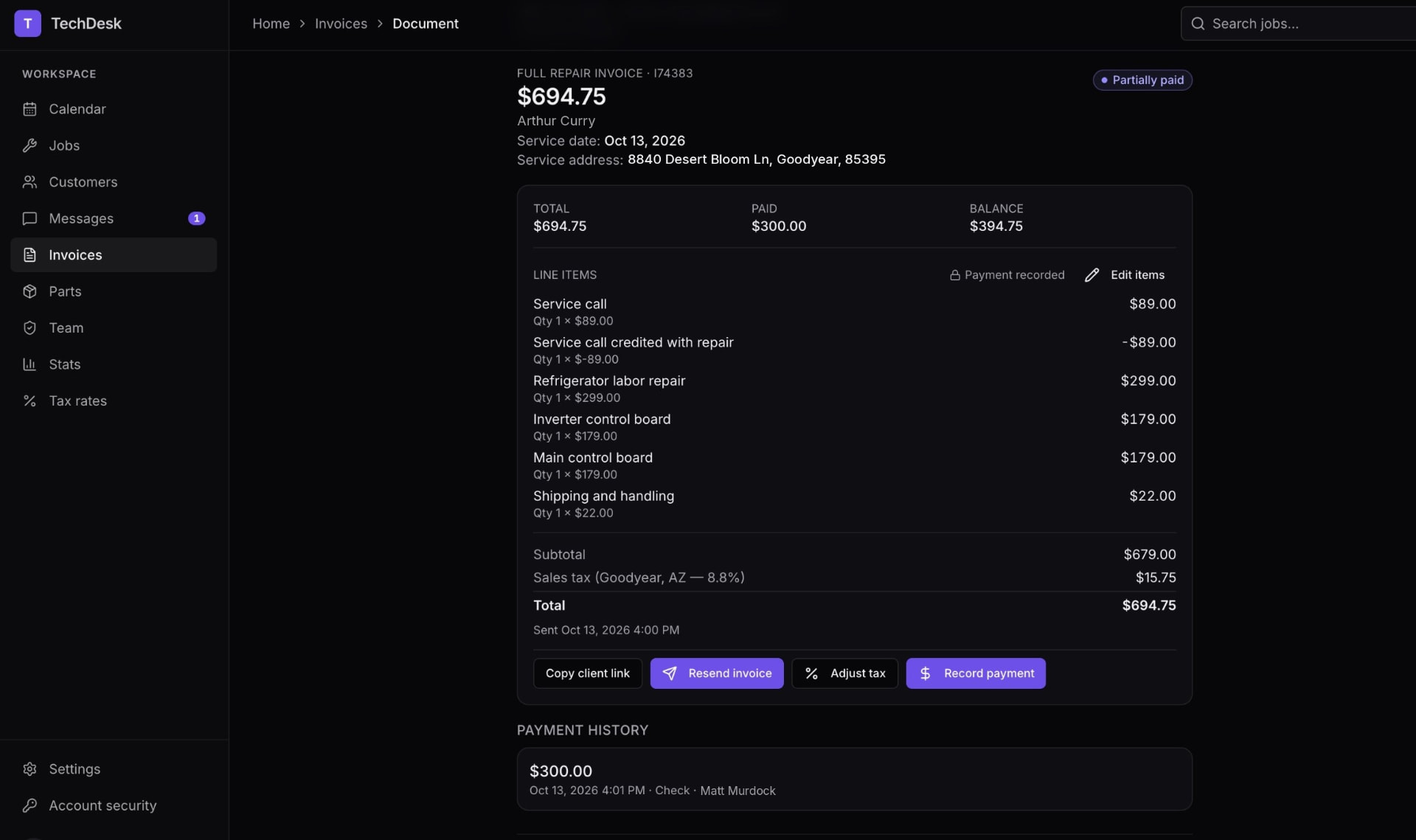
BuiltCRM calculates sales tax automatically by ZIP, city and county. An admin sets the tax regions, and the rate is shown on the invoice.
Tax follows the location
Sales tax is based on ZIP, city and county rather than described as one universal rate for every job. Those location details matter when work is spread across different places and the invoice needs the tax associated with that location.
The calculation is automatic. The office does not need to describe every invoice's tax as a separate feature or keep the rate apart from the document the customer sees. The rate is shown on the invoice alongside the billed work.
Admin-managed tax regions
Admins add tax regions (by ZIP, city and county) for any area you serve. These regions provide the location setup for automatic sales tax, rather than leaving each technician to choose a region independently while looking at a job.
We use it across California, Arizona and Nevada. For a business working across several areas, admin-managed regions connect the places you serve with the tax calculation. ZIP, city and county are the location details used, and the resulting rate appears on the invoice.
The invoice and the parts report
The invoice shows the sales tax rate, giving the customer the rate used on that document. Invoice viewing happens through a customer link; it should not be confused with online invoice payment, which is not part of the feature described here.
For parts, Pro includes a separate parts sales tax report with parts sold, invoice dates, ZIP, city, rate and sales tax. That report exports to CSV for quarterly filing. Automatic sales tax and the Pro report are related, but they are not the same feature: one calculates tax on the invoice, and the other presents the parts tax reporting details.
Frequently asked questions
- Who sets the tax regions?
- Admins add tax regions (by ZIP, city and county) for any area you serve. Sales tax is calculated automatically, with the rate shown on the invoice.
- Where do you use this tax feature?
- We use it across California, Arizona and Nevada. Admins add tax regions by ZIP, city and county for the areas their business serves.
- Is there a report for parts tax?
- Yes. The Pro parts sales tax report includes parts sold, invoice dates, ZIP, city, rate and sales tax, with CSV export for quarterly filing.