// FEATURE
Technician mobile app
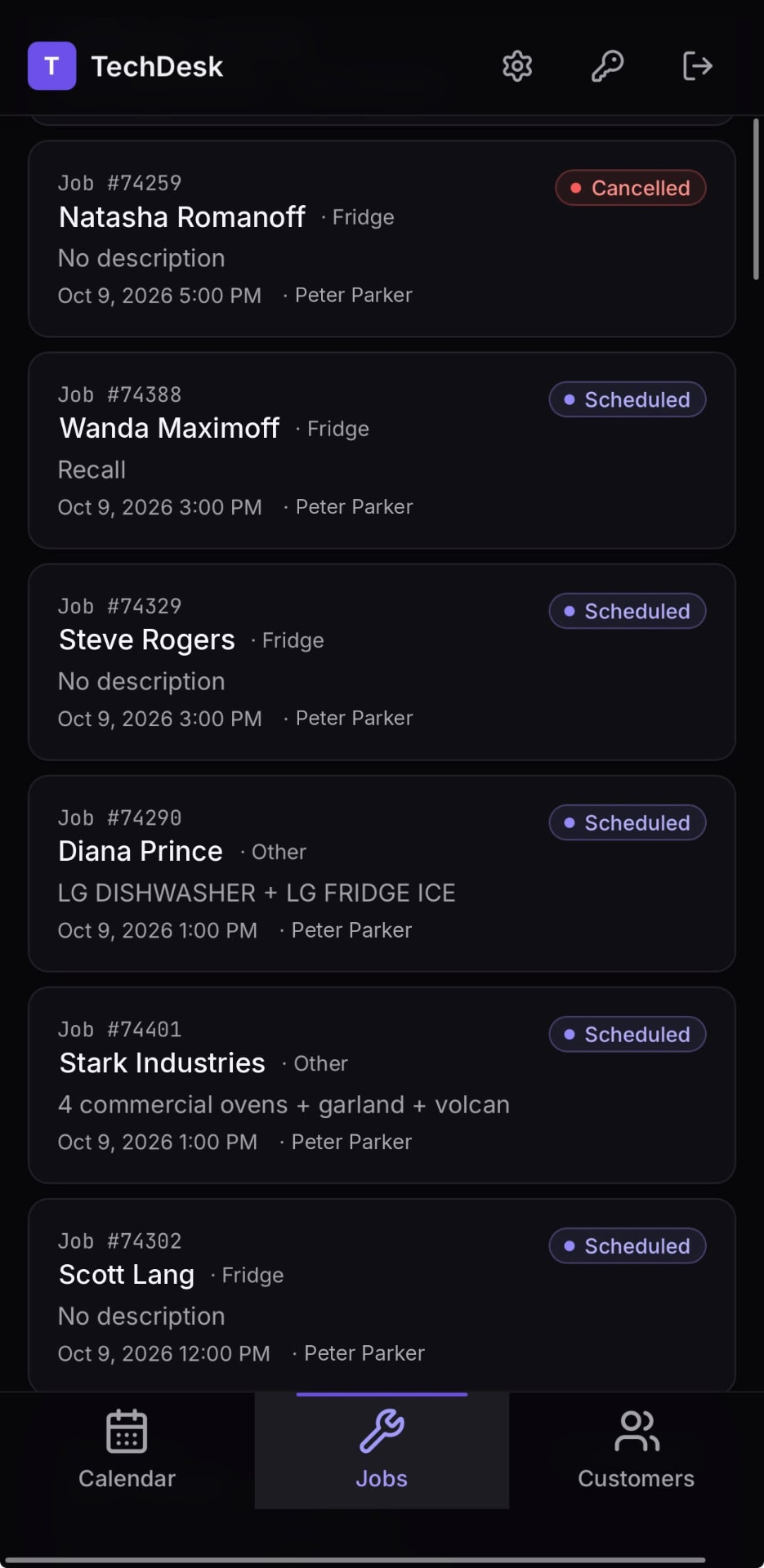
BuiltCRM's technician mobile view shows each technician their own jobs and calendar on the phone. From their work, they can add photos, call the customer, open the route, send on my way and request parts.
Their own jobs and calendar
The technician sees their own jobs rather than a phone view described as everyone's shared job list. The calendar also belongs to that technician's work, connecting the day's scheduled visits with the jobs they are assigned to carry out.
The office's calendar is organized by technician. Scheduling includes ZIP coverage, working days, time zones and arrival windows. The mobile view provides the technician-facing jobs and calendar; it does not introduce a separate set of booking rules that overrides that schedule.
Call, route and on-my-way actions
The phone view lets the technician call the customer and open the route. Google Maps routes are a separate linked feature: one tap opens the route to the customer in Google Maps. Opening a route is not described as automatic route optimization.
The technician can send an on-my-way message. This is one of the named phone actions and relates to the technician-on-the-way notification event. Extra arrival predictions or live vehicle tracking are not part of the approved mobile feature list.
Photos and parts from the job
Technicians can add photos from the phone, with before and after photos attached to jobs. The photo belongs to the job it documents rather than being described as an unrelated photo collection. The job photos page explains this feature on its own.
Parts requests are also available. A technician requests a part by part number, and the parts manager is notified what to order and for which job. Internal parts cost stays hidden from technicians and customers. The mobile request is connected to that parts workflow, not a promise that technicians manage the office's purchasing costs.
Frequently asked questions
- Does a technician see everyone's jobs?
- Each technician sees their own jobs and calendar on the phone. Admin, dispatcher and technician roles have database-level access limits.
- Can a technician contact the customer?
- Yes. The phone view includes calling the customer and sending on my way. It also lets the technician open the route to the customer.
- Can photos and parts be handled from the phone?
- Yes. The technician can add job photos and request parts. Part requests identify the needed part by part number and notify the parts manager.